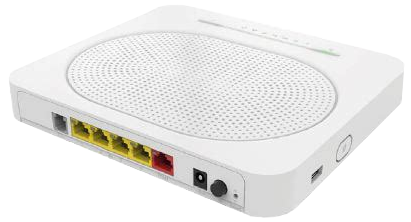
The Technicolor TG589VAC-V2 comes with the ability to SSH into it to perform
tasks like viewing the running processes via top or listing the active routing
tables. In this post I will explain how to enter the SSH console of this router.
Find the login details
- The default username is
engineerfor SSH access. - The password can be found underneath the router where it says “Access Key”.
Access the router through SSH
If the router is operating in bridge mode, port 4 is used for WebUI and SSH access. All other ports are bridged. But if the router is not operating in bridge mode, any port can be used to access the SSH console.
Connect to port 4, set the IP of your device to an IP within 192.168.1.0/24 (except 192.168.1.1 which is the IP used to access the router), and issue the SSH command below.
If your router is not operating in bridge mode, the IP address of the router can be found in the WebUI.
In order to access the router, you need to specify to use older algorithms when
using the SSH command, this is because the router is using an outdated version
of sshd which doesn’t support newer algorithms:
ssh -o HostKeyAlgorithms=+ssh-rsa -o KexAlgorithms=+diffie-hellman-group1-sha1 engineer@<router ip>